What visitors check before booking: websites for York tourism businesses
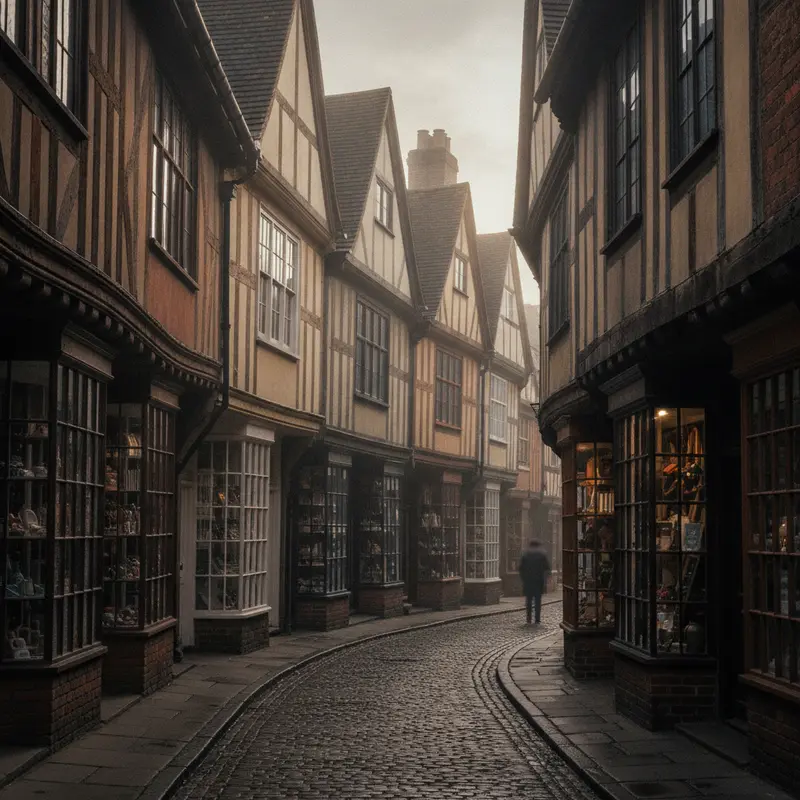
York gets a remarkable number of visitors for a city of its size. They come for the Minster, the walls, the Shambles, the museums and the races, and a great many of them plan the details of their trip on a phone, often the night before or on the train in. If you run a guest house, café, tour, shop or attraction, your website is part of that planning whether you designed it for that or not.
This guide sets out what visitors are actually trying to find out when they land on a York tourism site, and how to make sure they find it quickly. None of it needs an expensive rebuild. Most of it is about putting the right information in the right place.
1. Where exactly are you?
"City centre" means very little to someone who has never been to York. Visitors think in landmarks. They want to know whether you are inside the walls, how far you are from the station, and how long it takes to walk to the Minster. Say it in those terms near the top of the page: "Six minutes' walk from York station, just inside Micklegate Bar." Then add a map and, if parking matters to your guests, an honest line about it. Parking inside the walls is limited and visitors know it, so a clear answer here saves you a lot of emails.
For attractions and tours, a meeting point described with a landmark is far more useful than a postcode alone. "Meet outside the west door of the Minster" is something people can find; a postcode may drop them in the middle of a street with several entrances.
2. Is it open, and is it available?
Opening times sound basic, but they are one of the most common things visitors complain about. Hours change with the seasons, around bank holidays and during big events, and the website is often the last place to be updated. Put your hours on one page, link to that page from everywhere, and make sure your Google Business Profile shows the same. If you close in January, say so plainly.
For accommodation and bookable experiences, availability is the question. If you take direct bookings, the button should be visible without scrolling on a phone. If you use a third-party booking engine, make sure the handover feels like part of your site rather than a leap to somewhere unfamiliar. Visitors abandon bookings when the page suddenly looks different and asks for details all over again.
3. What does it cost?
Hidden prices cost you enquiries. Visitors comparing three guest houses will usually leave a site where they cannot see a price range. You do not need to publish every rate; "Doubles from £95 a night, midweek in winter" is enough to keep someone reading. The same goes for tours, tasting sessions and workshops: give the price and what is included.
4. Is it accessible for us?
York is an old city with steps, narrow doors and listed buildings, and many visitors need to know what that means for them. An honest access section does more for trust than any amount of polished photography. Say whether there is step-free access, whether rooms are on upper floors, whether there is a lift, whether dogs are welcome, and where the nearest accessible toilet is if you do not have one. If you have a ramp or an accessible room, show a photo of it.
The website itself should be accessible too: readable text, proper contrast, buttons that work with a keyboard and images with alt text. It is the law for many organisations, and it is good practice for everyone.
5. What is it actually like?
Photographs do most of the work here, and they should be real. Show the rooms as they are, the café on a normal morning, the view from the walls you actually take people along. Stock images of a generic cathedral make visitors suspicious. A handful of good, recent, honest photos beats a gallery of fifty.
Words help too. Describe what a visit feels like in specific terms. "Breakfast is cooked to order and served in the front room overlooking the walls" tells someone more than "a warm Yorkshire welcome".
6. Will it work in the rain, in December, with children?
Visitors plan around York's weather and its busy periods. If you are good on a wet day, say so. If you run special sessions over the Christmas markets or the half-term holidays, give them their own page so people searching for things to do in York in December can find you. If you suit families, older visitors or groups, make that obvious with a short section for each.
7. How do I get in touch with a question?
Some visitors will always want to ask before they book. Make it easy: a short contact form, an email address and a clear statement of when you reply. Many smaller operators find a simple FAQ section cuts their inbox in half. The questions are usually the same: parking, check-in times, dietary needs, group sizes, refunds.
Speed matters more than you think
Visitors are often on mobile data in the street, or on a train with a weak signal. A heavy website with large uncompressed images, autoplaying video and a stack of plugins can take many seconds to load, and people give up. Keep pages light. Compress images, avoid sliders, and test your site on a phone with the wifi turned off.
Don't forget the people who arrive by search
Many visitors find you through a search such as "afternoon tea near York Minster" or "ghost walk York tonight". Each of those is an opportunity for a page that answers the search directly. A tour operator might have one page per walk; a café might have a page for its afternoon tea with a menu and booking details. These pages are more useful to visitors than a single long "what we offer" page, and search engines treat them that way too.
Plan around York's calendar
York's visitor year has fixed peaks, and the busiest weeks are when a weak website costs you most. The St Nicholas Fair, the city's Christmas market, fills Parliament Street, St Sampson's Square and Coppergate with wooden chalets from mid-November to just before Christmas, and in 2018 the council reported it brought more than 350,000 visitors into the city. Race meetings, school holidays and the summer season bring their own surges. Each is predictable, so each deserves preparation weeks in advance rather than a hurried edit the night before.
| Period | What visitors search for | What to update on your site |
|---|---|---|
| November to December | Christmas market, festive afternoon tea, gifts, late opening | Festive hours, a Christmas page, booking cut-offs, gift vouchers |
| January to February | Winter breaks, rainy-day ideas, offers | Midweek prices, indoor options, honest closure dates |
| Easter and May half-term | Family days out, things to do with children | Family pages, pushchair access, child prices |
| Summer | Walks, tours, outdoor seating, events | Tour times, weather plans, group booking details |
A simple habit helps: put a reminder in the calendar six weeks before each peak to review hours, prices and the seasonal page. It takes half an hour and avoids the most common complaint we hear from visitors, which is that the website said one thing and the door said another.
Two worked examples
A small guest house near Bootham Bar. The old site opened with a large slideshow and put the booking button at the bottom of the page. Most visitors were on phones and never reached it. The fix was not a new brand. It was moving the "Check availability" button to the top, adding a one-line location statement ("five minutes' walk to the Minster"), a parking paragraph and a room-by-room page with real photographs. That is the kind of change that moves bookings from listing sites to your own site, where you keep the commission.
A walking tour operator. One long page described every tour. Splitting it into a page per tour, each with a meeting point described from a landmark, a duration, a price and an accessibility note, gives each tour its own chance to appear for searches such as "evening walking tour York", and lets visitors share a link to exactly the tour they want.
Where to go from here
If your site needs only a tidy-up, start with the checklist below and our guide to redesigning without losing your rankings before changing any page addresses. Businesses inside the walls will find more on what we see in the centre on our York city centre page, and if you want help with the build itself, our website design and local SEO services cover everything here.
A quick checklist
- Landmark-based directions and a map near the top of the page.
- Current opening hours, matching your Google Business Profile.
- Prices or price ranges for your main offers.
- A booking button visible on a phone without scrolling.
- An honest access section.
- Real, recent photographs.
- Pages for seasonal events and specific experiences.
- A short FAQ and a clear contact route.
- Pages that load quickly on mobile data.
If you work through that list, you will be ahead of many of the businesses around you. If you would like a second pair of eyes on your site, we are happy to take a look.